 Capa
CapaProductsFor your team
EditorModel your content. Then just write.
Build models from 13 field types and lay out the form with drag and drop. Writers get a calm page with the version, the status and every linked entry one glance away.

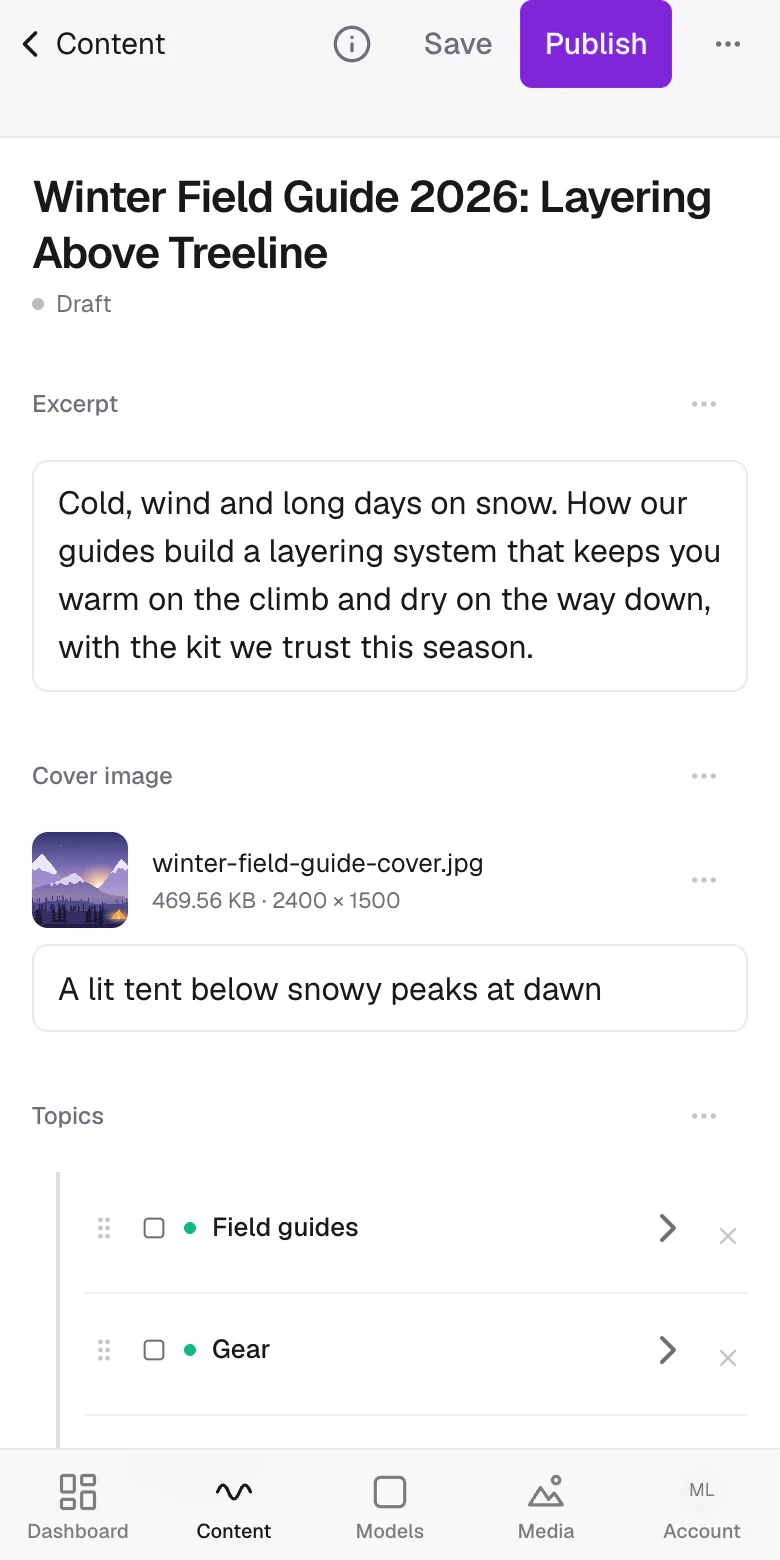
Thirteen field types. One palette.
Every field is a control your editors understand and a value your developers can predict. Pick one to see both sides.
string"title": "Autumn menu, now serving"A model in minutes, a form people like.
- 01
Name the model
A collection like Articles, or a single-entry model for a page you only have one of, like Pricing.
- 02
Drag in the fields
Arrange them in rows and groups, at six widths, so related fields sit together the way a writer thinks.
- 03
Link what belongs together
A Model field references other entries, one or many. Editors can edit a linked entry right in the form.
- 04
Hand it over
Writers fill the form, validation catches the empty required field, and publishing is one button.
Every entry, easy to find.
One table for the whole project, with the filters and views a busy team actually uses.
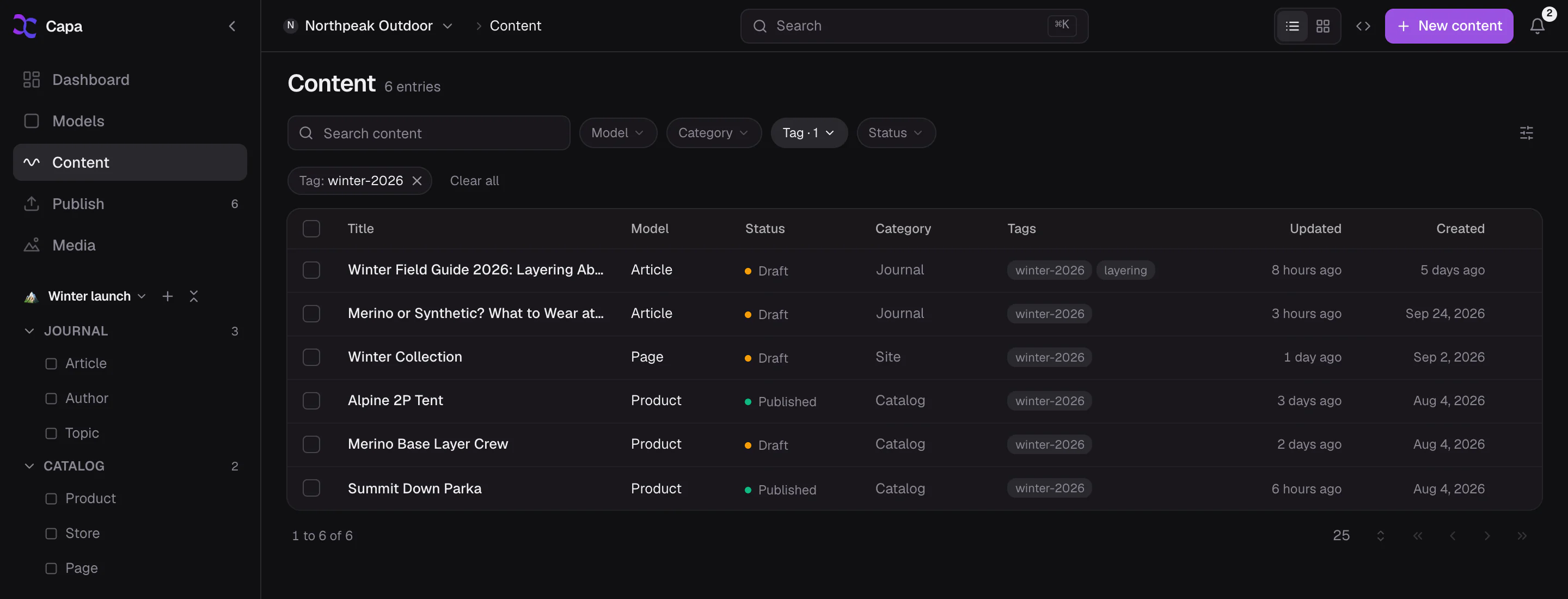
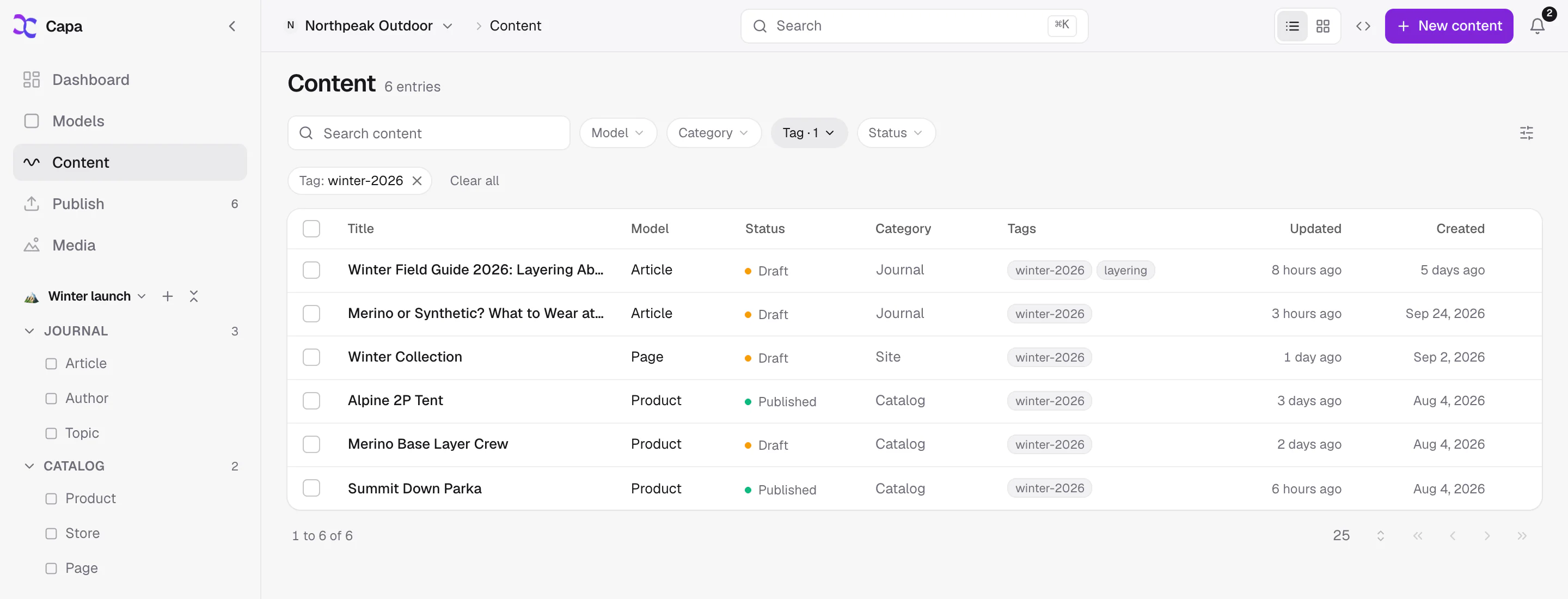
The most organized CMS your team has used.
- Structure
Folders, categories and tags
For models, for content and for media. File things the way your team already talks about them.
- Nav views
A sidebar for every team
Shape the left rail into the folders each team needs, then share it with the project or keep it private. Start from Blank, Website or Catalog.
- Search
Cmd+K finds it
One search box for the whole project, from anywhere in the admin.
- Linked entries
Peek without leaving
Open a linked entry in a side sheet, edit it, and come back to exactly where you were.
- References
Know what links here
Every entry lists the entries it points at and the entries that point at it, before you change a thing.
- Anywhere
Light, dark and phone
Light, dark or system theme, and a phone layout with a tab bar for the fix you make on the train.
Model it once. Write in it every day.
Start free, build your first model, and hand it to a writer today.