 Capa
CapaEvery client.
One login.
Run each client as its own project, move between them without signing out, and hand over sites your clients edit by clicking the page. You build once. They stop emailing you typo fixes.
- Models
- Menus, Pages, Events
- API keys
- 2 keys, this project only
- Last published
- Autumn menu, 2 min ago
Signed in once as Maya. No second login.
Switch clients
without signing out.
Every client you run sits in one project switcher, the ones you opened last at the top. Each project has its own address, so a link you send a colleague opens the same screen, in the same client, for them too.
- Open two clients in two tabs and work in both.
- Search the switcher when the roster gets long.
- Accepting an invite lands people in that client’s project, even with another one open.
Each client gets
a room of its own.
A project holds one client’s models, entries, media, API keys and people, and nothing of anyone else’s. Their keys read only their content. Your team moves between all of them, with a different role in each when that suits.
- API keys per project, with scopes, allowed origins, expiry and rotation.
- Roles per project: Admin on one client, Viewer on another.
- Fields, editor layouts and workspaces belong to the project, so one client’s change never reaches the next.
- Menus
- Pages
- Events
cap_live_…3f2aPeople- Maya LindqvistAdmin
- Chef RossiContent
- Locations
- Services
- Team
cap_live_…9b07People- Maya LindqvistDeveloper
- Dr. AdeyemiContent
- Products
- Stories
cap_live_…c41dPeople- Maya LindqvistViewer
- Jun ParkAdmin
Show the client
only their pages.
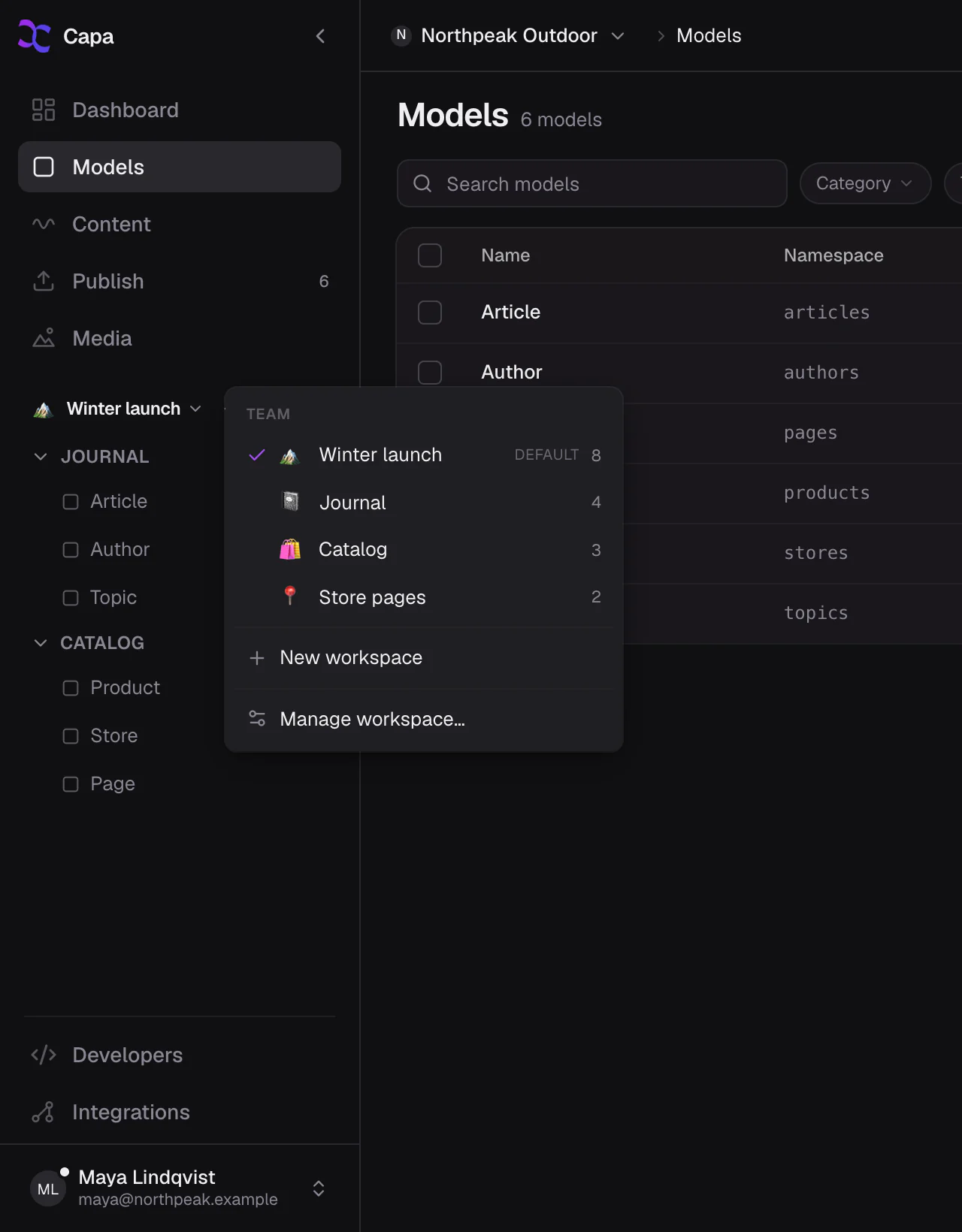
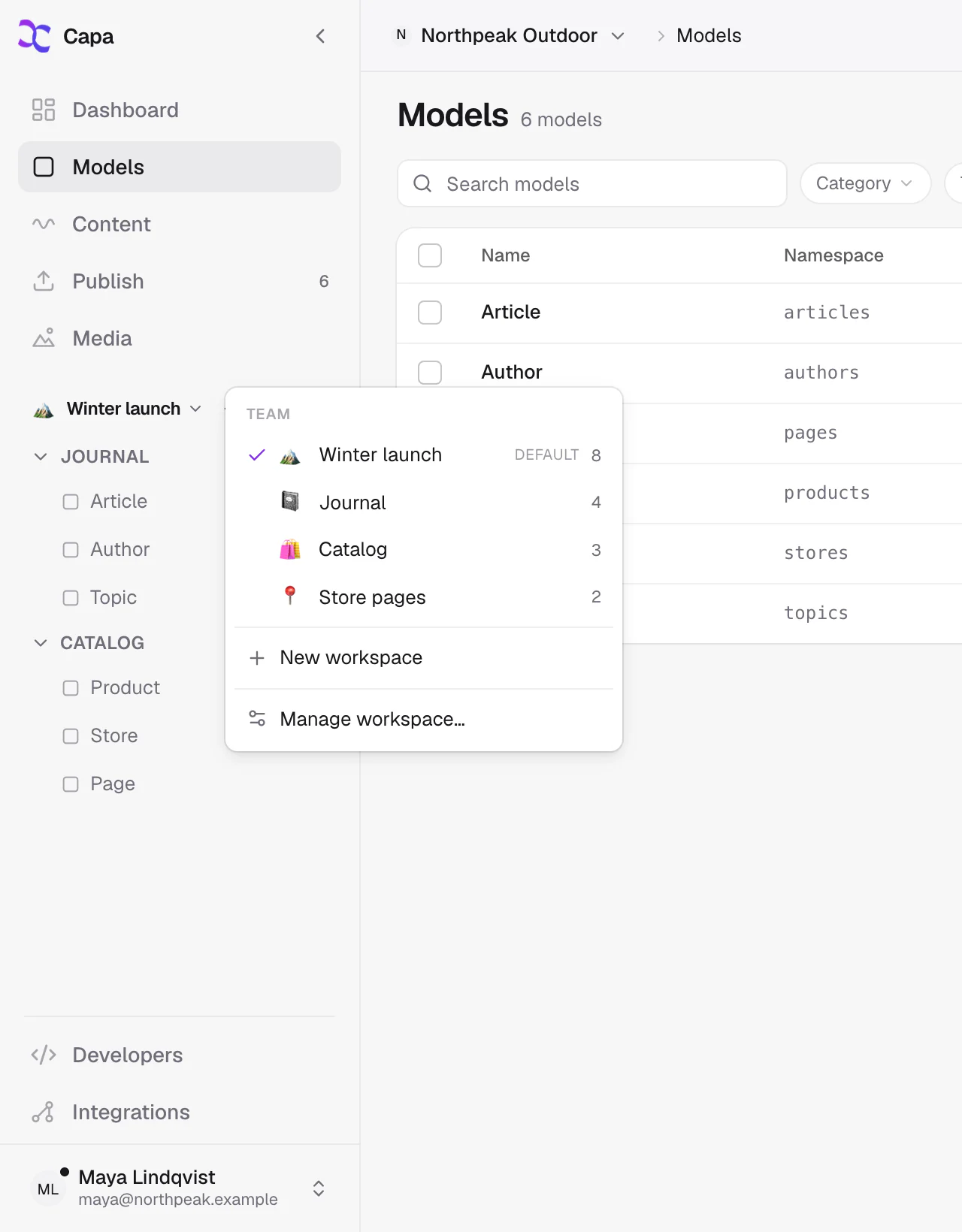
A workspace decides what the sidebar shows. Build the client a Website workspace with Pages, Menus and Media, assign it to their people, and keep Models in yours. They never scroll past the plumbing.
- Shared workspaces for the client’s team, private ones for yours.
- Folders named the way the client talks: Pages, Launch, Opening hours.
Hand over a site
they can click.
Install @capacms/sdk, tag the fields your templates render, and turn the overlay on in edit mode. Your client opens their own site from Capa, clicks a headline and types. Visitors get none of it: no tags, no overlay script.
- Draft and Published side by side, so the client sees what visitors will.
- Mobile, tablet and desktop previews at each device’s real width.
- Every save is a version, so a bad edit is never the last word.
// app/layout.tsx: the overlay loads in edit mode only
import { draftMode, headers } from "next/headers";
import { editMode } from "@capacms/sdk/nextjs";
import { CapaOverlay } from "@capacms/sdk/nextjs/overlay";

const edit = await editMode({ draftMode, headers });
{edit ? <CapaOverlay adminOrigins={["https://app.capacms.com"]} /> : null}

// app/menu/page.tsx: tag what the client should edit
import { capaAttrs } from "@capacms/sdk/next";

<h1 {...capaAttrs(menu, "title")}>{menu.fields.title}</h1>Your agent knows
each client’s schema.
The Capa MCP server reads with a project’s key, so Claude Code, Cursor or Codex sees that client’s models and content and nothing else. Add one server per client and the same agent works across the roster without mixing them up.
# One server per client, each reading with that client's key
$ claude mcp add osteria \
  -e CAPA_API_URL=https://cdn.capacms.com \
  -e CAPA_KEY="$OSTERIA_KEY" \
  -e CAPA_API_VERSION=2026-10-01 \
  -- npx -y @capacms/mcp
$ claude mcp add harbor \
  -e CAPA_API_URL=https://cdn.capacms.com \
  -e CAPA_KEY="$HARBOR_KEY" \
  -e CAPA_API_VERSION=2026-10-01 \
-- npx -y @capacms/mcpFive paid projects?
Every one is 20% off.
Build each client’s site on Free and pick a plan the day it goes live. Once five or more are on paid plans, every one of them is 20% off. Past 25 projects, Enterprise puts them all on one invoice.
- A project of their ownModels, entries, media, keys and people, kept apart from every other client.
- Their site, clickableVisual editing and live preview on the site you built them.
- A sidebar that fitsA workspace with their pages, and none of your plumbing.
- A publish they can trustDrafts, versions, scheduling, and pages live in under three seconds.
Bring every client
into one place.
Start with one client project for free. Add the rest as you move them over.
More ways teams use Capa
- DevelopersAPIs, agents and an SDK you will like→
- Marketing teamsShip pages without waiting on a deploy→
- Content editorsEdit what you see, publish when it is right→
- E-commerceProducts, reviews and stories in one place→
- Multi-site & brandsMany sites, one source of truth→
- Apps & every screenWeb, mobile and anything that reads an API→