 Capa
CapaOrganized for teams.
Ready for clients.
Editors work on the real page, marketers schedule the launch, and agencies give every client a project of its own. Every site and app reads from one source, over REST or GraphQL.

One platform. Three layers.
Your team works on top. Your sites and apps read from below. In the middle sits every model, entry, version and file, in one place.
- EditorModel, write and organize content
- Visual EditingClick the page, type, publish
- Live PreviewDrafts on your real site, before anyone else sees them
- ReleasesVersions, batches and scheduled publishing
- Media LibraryFolders, alt text and filters for every file
- Teams & RolesScope each person to exactly what they need
- AssistantAI that builds models and drafts content
- Projects
- Models
- Entries
- Versions
- Media
- Content APIREST or GraphQL, versioned by date
- Edge CacheServed from the nearest edge, fresh the moment you publish
- Image APIResize, crop and convert on the fly
- MCP ServerClaude, Claude Code, Codex and Cursor
- SDK & CLITyped client, codegen and the editing overlay
- WebhooksSigned events for every change
- Commerce SyncsShopify, Square and Judge.me, as content
See the change
on the real page.
Press Preview and your own site opens beside the form, showing the draft. Click a field on the page and the editor jumps to it. Save, and the page updates in place.
Seasonal
Autumn menu, from 5 pm nightly
Wild mushroom risotto, brown butter squash and the last of the figs.
Book a tableDraft view, desktop.
Draft or published
Flip between the draft and what is live, on the same page of your site.
Every screen size
Mobile, tablet and desktop at their real widths, so your own breakpoints fire.
Know what it touches
Before you change an entry, see every page it appears on.
Hand it to a client
Add @capacms/sdk and tag the fields. Clients click what they want to change.
From draft to live,
on the record.
Capa keeps every version, gathers changes into one queue, publishes on schedule and writes down what went out.
- 01 · Save
Every save is a version.
Drafts never touch the live site. The entry shows what is live and what you are writing, Published v7 and Draft v8, and any older version is a click away.
- 02 · Queue
Every change, in one queue.
Unpublished changes from every model wait together, with word-level diffs. Publish them as a batch, schedule them, or discard them.
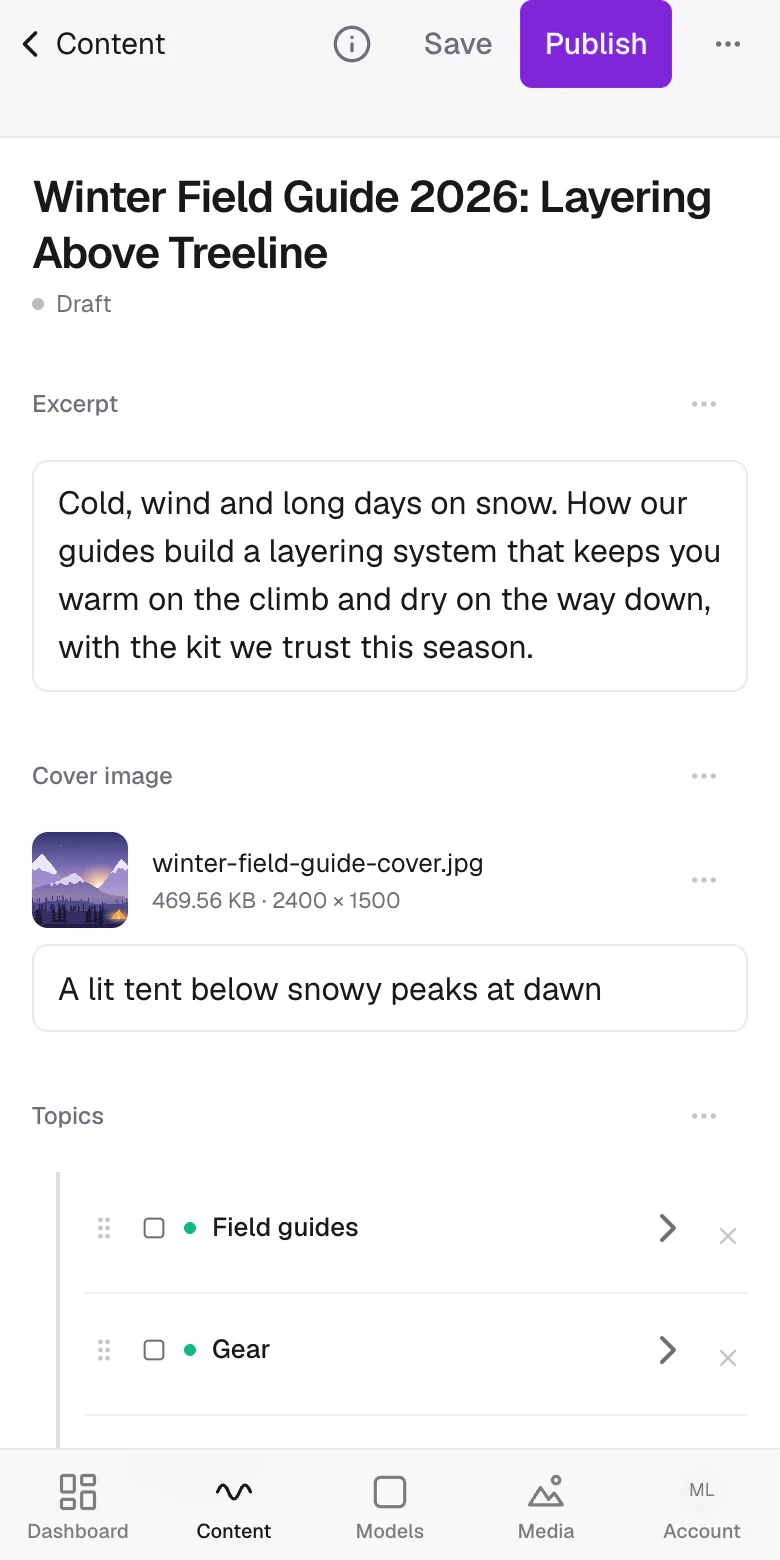
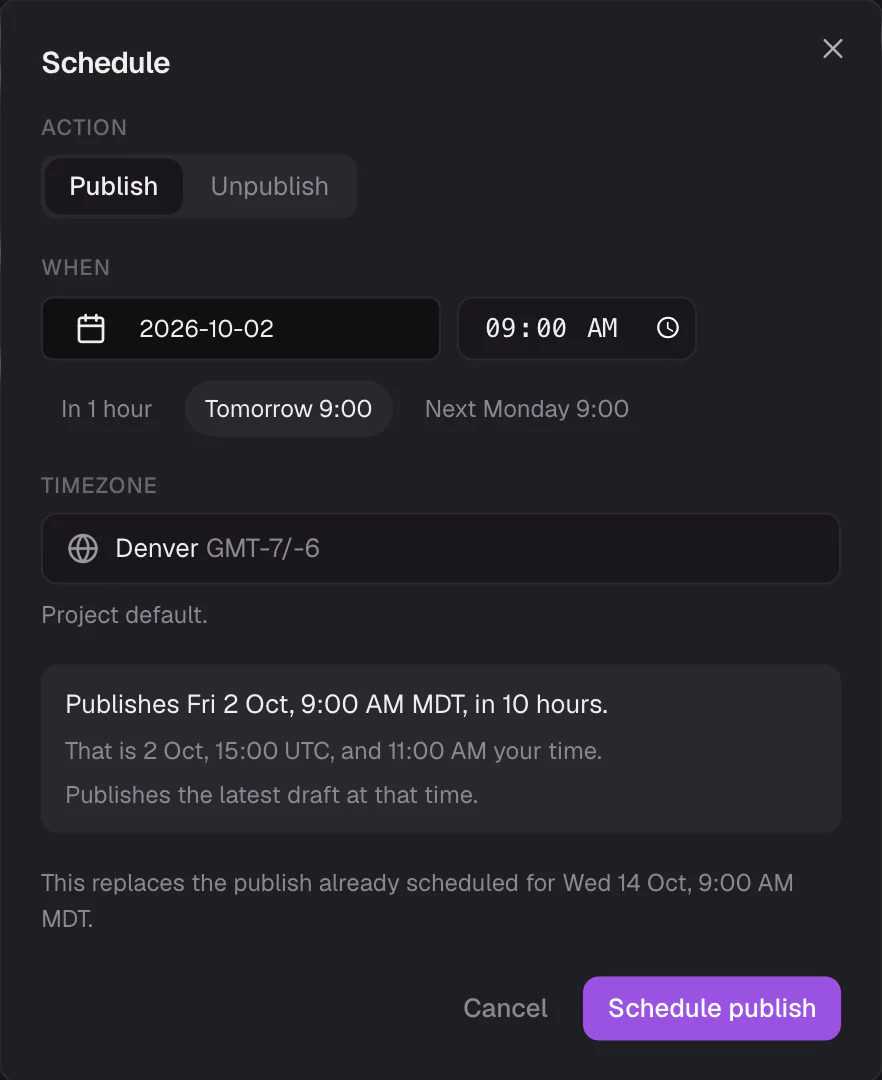
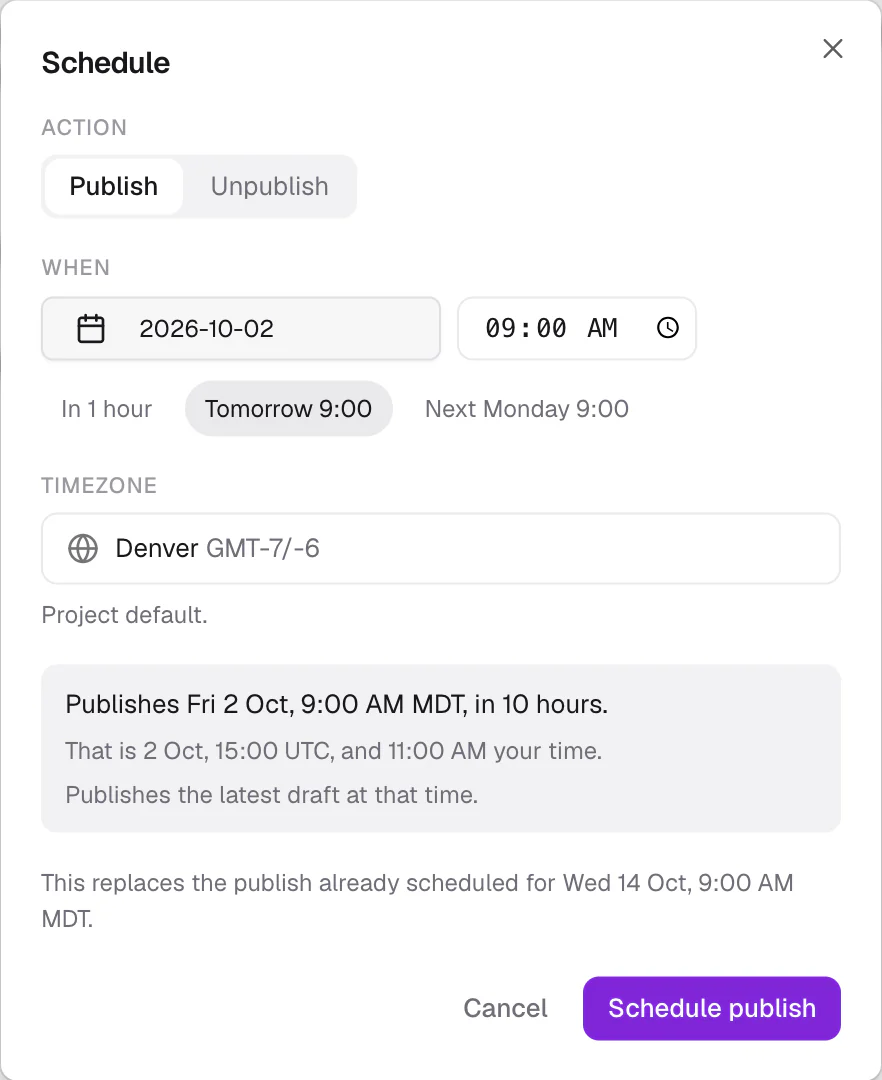
- 03 · Schedule
On time, in your timezone.
Pick a date, or a shortcut like Tomorrow 9:00. Capa shows the same moment in UTC and publishes the latest draft at that time.
- 04 · Log
A record of what went out.
The publishing log keeps every scheduled and bulk publish: what, who, when and how it went. A failed one waits there with Retry.
- v8DraftYou
- v7PublishedAna Ruiz
- v6Ana Ruiz
- v5Jonah Brandt
- v4Maya Lindqvist
- v3Ana Ruiz
A place for everything.
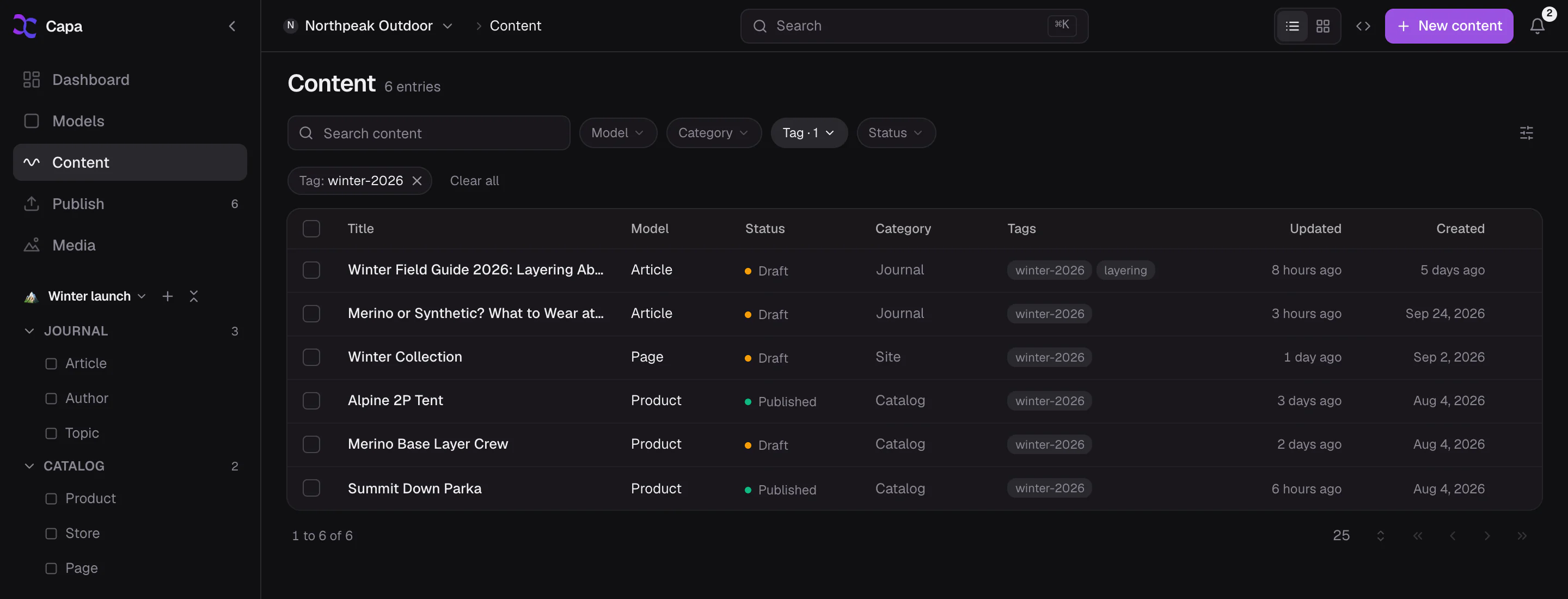
A filter for anything.
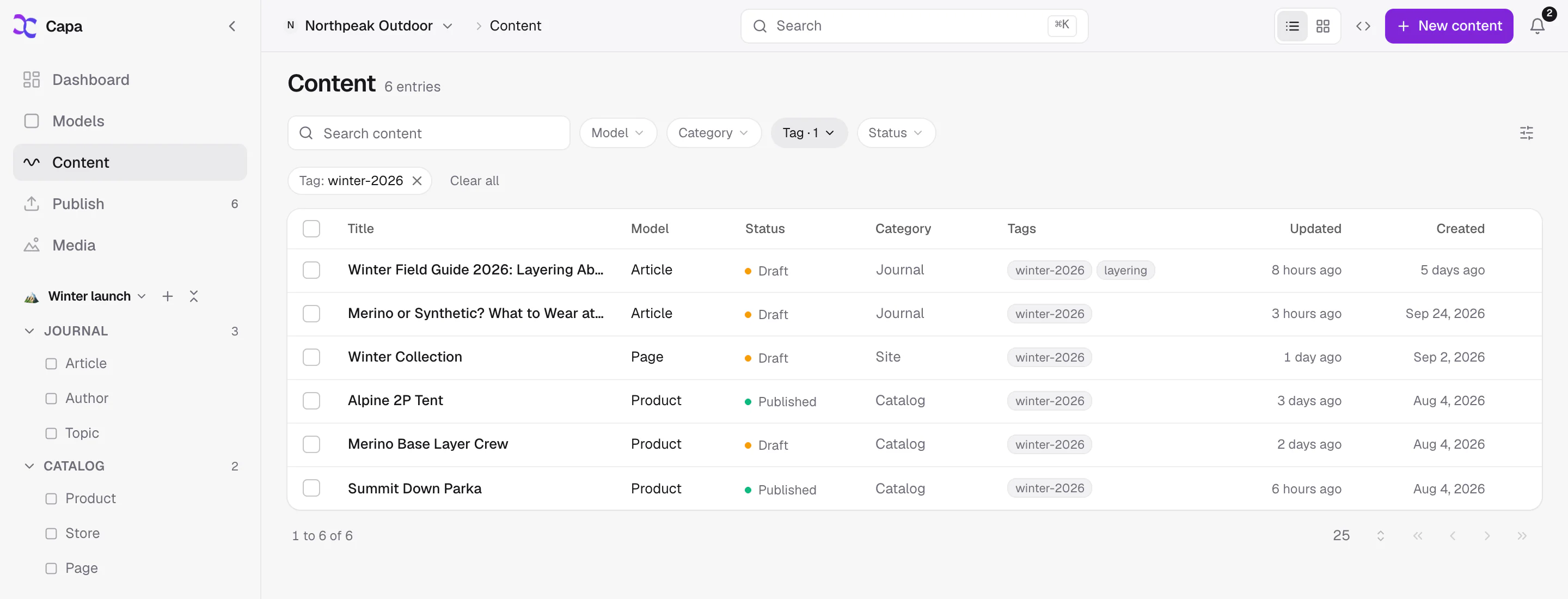
Models give every entry a shape. Folders, categories and tags give it a home. Filter the whole project by any of them, or switch to cards when the work is visual.
- TitleText
- IntroRich Text
- DishesModel · manyDish
- Hero imageImage
- SeasonOptions
- Price fromNumber
- FeaturedTrue/False
Models and fields
Thirteen field types, from Rich Text to relations between models. Arrange them in rows and groups by dragging.
Folders, categories and tags
Folders for models, content and media. Categories and tags cut across them, so the same entry turns up wherever it belongs.
Filters, status and cards
Filter by model, folder, category, tag and status. Pick your columns, switch to cards, or press ⌘K to find anything.
Every file in its place.
Every size on demand.
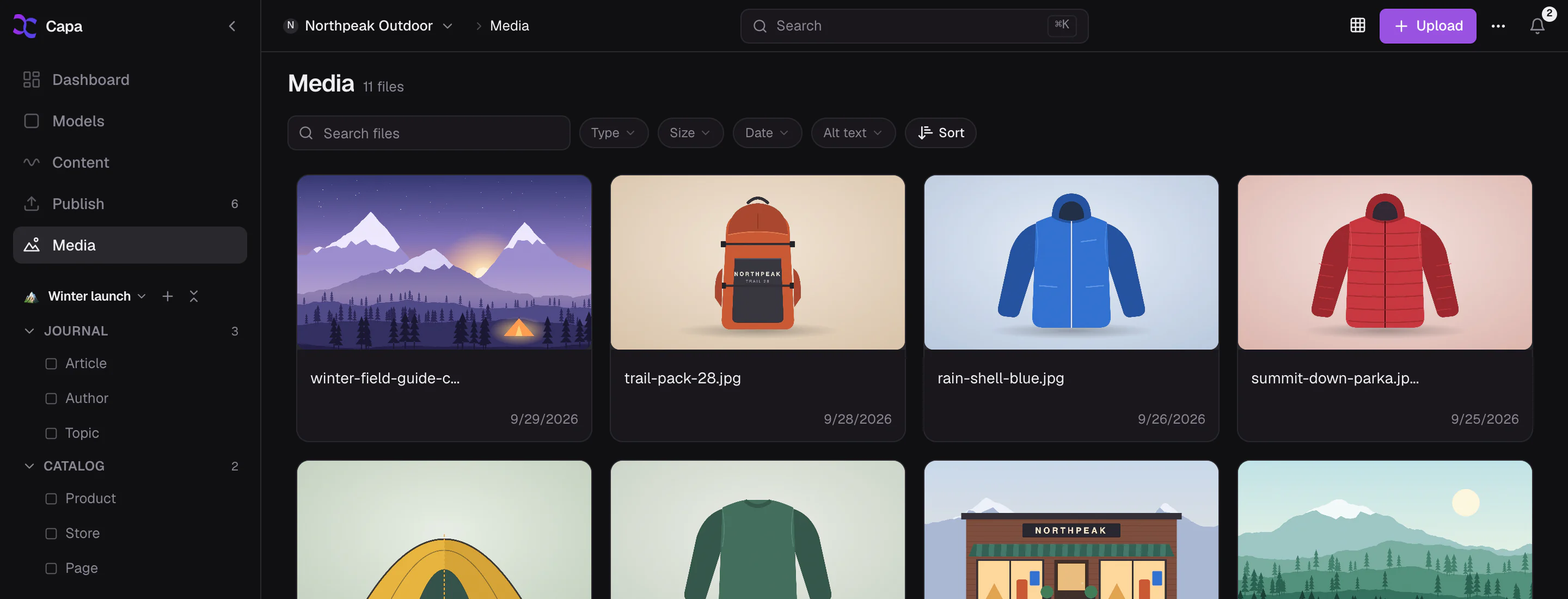
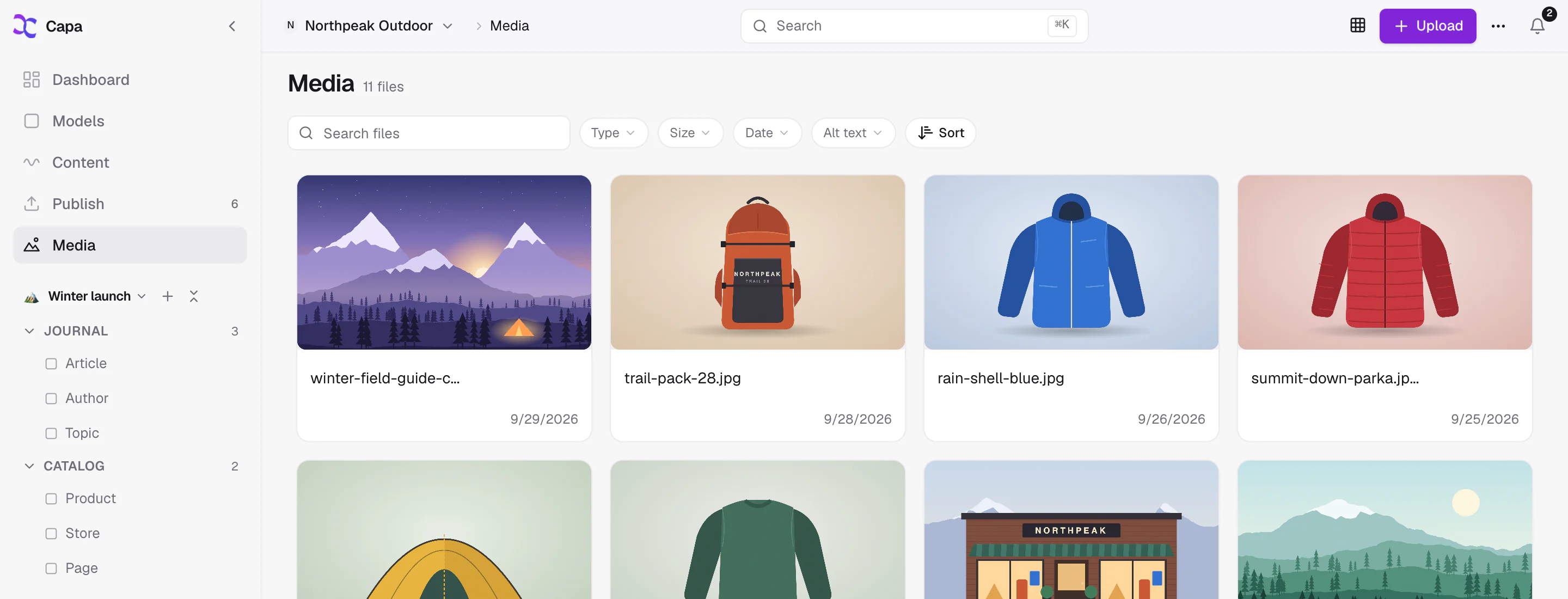
Upload into folders, add alt text, and filter by type, size, date or missing alt text. The CDN resizes and converts each image on the fly, so you upload it once.

cdn.capacms.com/files/autumn-hero.jpg?width=800&format=avif- Images, video, audio, PDFs and Office files
- Up to 800 MB a file
- Replace a file and keep its links
- See where each file is used
Exactly the access
each person needs.
Start from four roles. Then scope each person by project, model and action, so a freelance writer drafts articles, a client updates the menu, and nobody touches what they shouldn’t.
Projects
- Osteria Lumen(has access)
- Fernhill Outdoor(no access)
- Kiln Coffee(no access)
- Studio North(no access)
Models and actions
| Model | Read | Create | Edit | Publish | Delete |
|---|---|---|---|---|---|
| Pages | Not allowed | Not allowed | Not allowed | Not allowed | Not allowed |
| Menus | Not allowed | Not allowed | Not allowed | Not allowed | Not allowed |
| Articles | Allowed | Allowed | Allowed | Not allowed | Not allowed |
| Events | Not allowed | Not allowed | Not allowed | Not allowed | Not allowed |
| Settings | Not allowed | Not allowed | Not allowed | Not allowed | Not allowed |
Drafts articles in one project. Ana reviews them in the queue and publishes.
- Admin
Everything, including members and billing.
- Developer
Models, keys and content. No billing.
- Content
Writes, publishes and organizes entries and media.
- Viewer
Reads the project. Changes nothing.
One login.
Every client project.
Each client gets a project with its own models, keys and members. Switch between them in a click, give every team a sidebar that fits, and hand over a site the client can edit by clicking it.
A project per client
Models, API keys and members stay inside the project. You see every one of them from a single login.
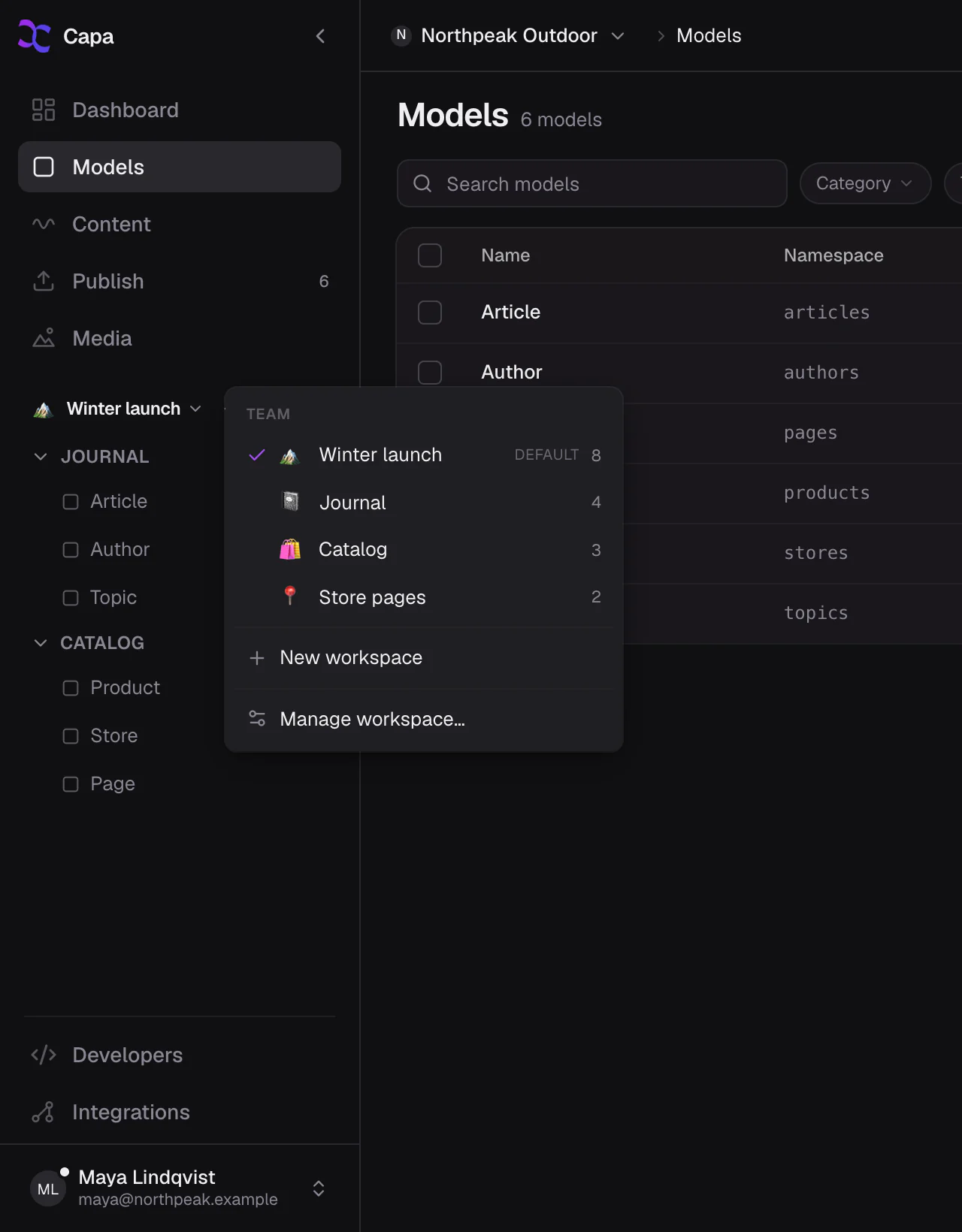
Workspaces
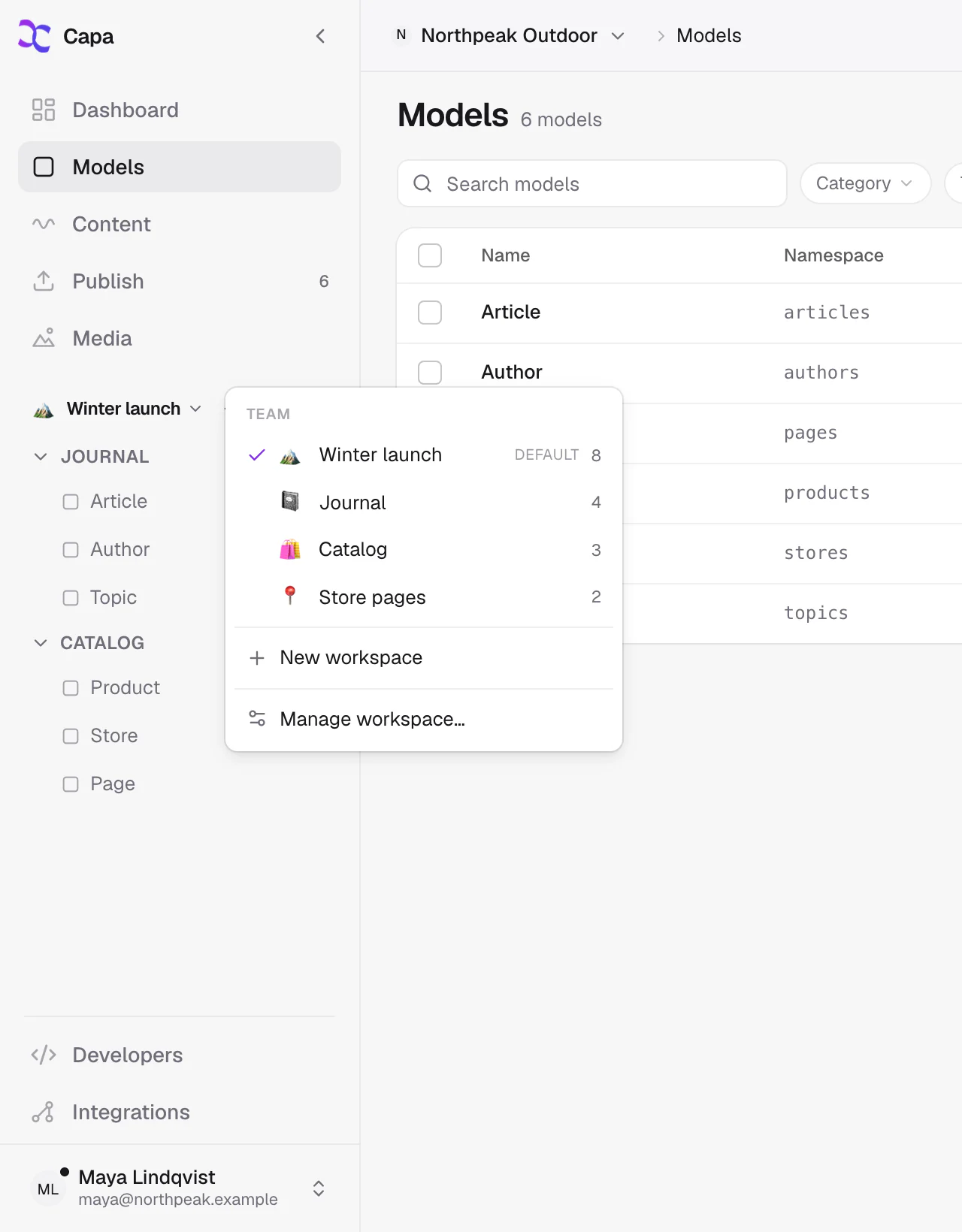
Shape the sidebar for each team, shared or private. Start blank, or from the Website or Catalog layout.
Client handover
Give the client a site they can edit by clicking it, and access to their project only.
- 1Build with the SDK
Add
@capacms/sdkand tag the fields an editor can click. - 2Invite the client
A Content role, scoped to their project and the models they own.
- 3They click to edit
Preview opens their site beside the form. Changes wait as drafts until they publish.
Products and reviews,
next to your content.
Capa syncs your catalog in and keeps it current, so a story, a landing page or a menu can point at the real product.
Shopify
Self-serve- Products and variants
- Collections
- Pages, blogs and articles
- Menus
- Metaobjects
Square
On request- Items and variations
- Categories
- Inventory and availability
- Locations and taxes
- Images
Judge.me
On request- Ratings, titles and review text
- Reviewer names and verified status
- Matched to the product they review
- Ready to reference from any entry
Write it once.
Ship it everywhere.
Your website, your app, the screen in the shop and anything else that reads the API get the same entry. Publish once, and every one of them reads the new version.
- Title
- Autumn menu, from 5 pm nightly
- Dishes
- Mushroom risottoSquash agnolotti+2
- Hero image
- autumn-hero.jpg
Website
Next.js, Astro or plain fetch
App
iOS, Android or anything native
In-store screen
The menu board by the door
Anything else
REST or GraphQL, one key per channel
Fast for visitors.
Friendly to developers.
Published content is served from the nearest edge, and a publish is live in seconds. Developers get typed APIs, an SDK and a server their agents can use.
Content API
REST and GraphQL, typed from your models and versioned by date.
Capa-Version: 2026-10-01Edge Cache
Published content is served from the nearest edge, typically in 20 to 50 ms. A publish is live in 2 to 3 seconds.
cdn.capacms.comImage API
Resize, crop, blur and convert to AVIF or WebP, right from the URL.
?width=800&format=avifMCP Server
Nineteen tools that let Claude, Claude Code, Codex and Cursor work with your content.
@capacms/mcpSDK & CLI
A typed client, codegen, Next.js helpers and the visual editing overlay.
@capacms/sdkWebhooks
Signed events for every change, retried for you when your endpoint is down.
instance.published
Bring your team. Bring your clients.
Start on the free plan. Add people, projects and clients as you grow.