 Capa
CapaThe Developers section
Keys, the Queries and GraphQL explorers, request logs, the cache and webhooks, plus the API sheet on every list and entry.
Developers in the sidebar holds the tools for building on a project. It has six tabs. Each person sees the tabs their role allows, and Developers opens the first of them.
| Tab | For | Who sees it |
|---|---|---|
| Queries | Build and save reads of the legacy /v2/api. | Admins and developers |
| GraphQL | Write and run GraphQL against /api/graphql. | Admins and developers |
| Keys | Create and manage API keys. | Admins and developers |
| Requests | A log of legacy API requests. | Everyone |
| Cache | Hit rates, purges and rewarm rules. | Everyone |
| Webhooks | Endpoints that hear about changes. | Everyone. Changing them needs Admin or Developer. |
Old links to Settings > API keys, Settings > Webhooks, Settings > Cache, the API explorer and the request log still work: they open the matching tab.
Keys
Create, edit, rotate and deactivate the keys your sites read with.
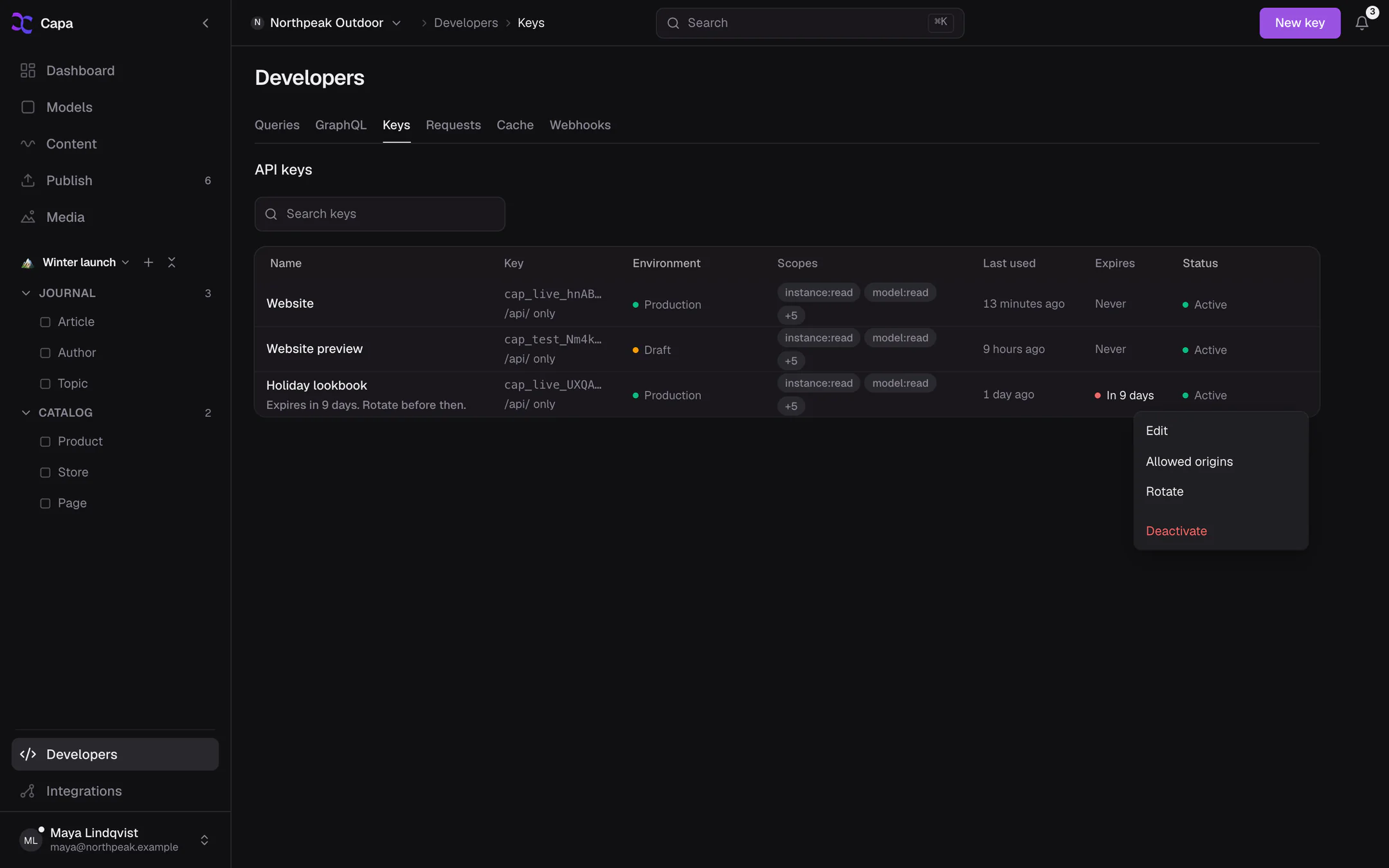
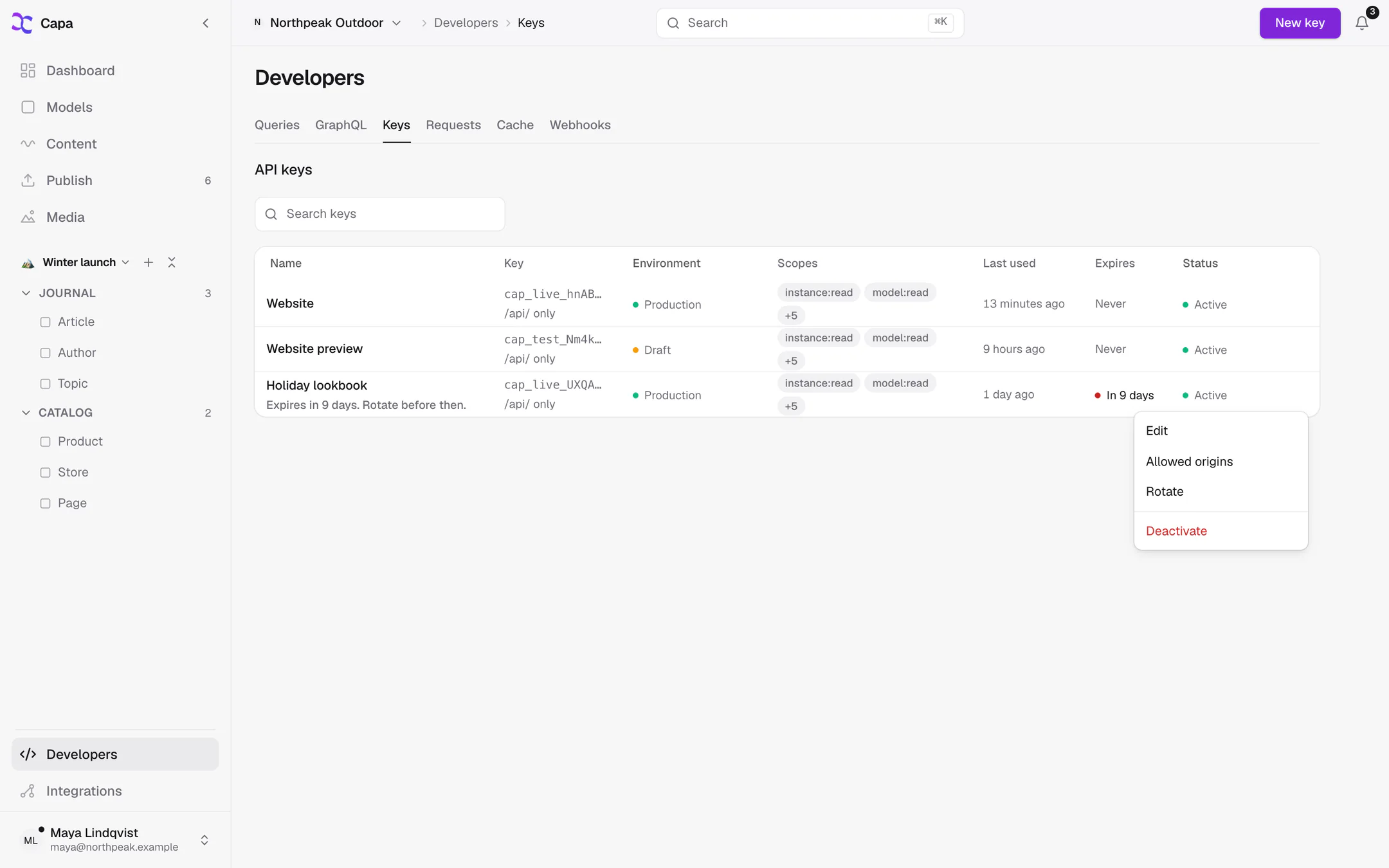
- New key opens Create API key: a Name, an Environment (Production or Draft), Grants and an optional Expiry.
- Grants starts from Read only, Content writer, Full integration or Schema builder, or Custom to tick scopes yourself and limit the key to some models.
- The secret is shown once. Copy it before you close the dialog.
The list shows each key's environment, scopes, Last used and Expires. A key within 14 days of expiring gets a red dot.
Each key's menu has Edit, Allowed origins, Rotate and Deactivate. There is no delete: deactivate a key you no longer use. On a legacy key, Create cap_ key with these grants makes its modern replacement.
See Keys for which key to use where, and Authentication for every scope.
Queries
A builder for reads of the legacy /v2/api. Pick a model, List All or Get Specific, a key, parameters and filters, and choose Run. The request and response appear side by side, with code to copy in JavaScript or TypeScript.
Save keeps a query under Saved queries for the whole team.
Queries runs with legacy keys only. For the dated /api/, use GraphQL or the API sheet below.
GraphQL
The GraphQL Explorer runs queries against /api/graphql with any of your keys.
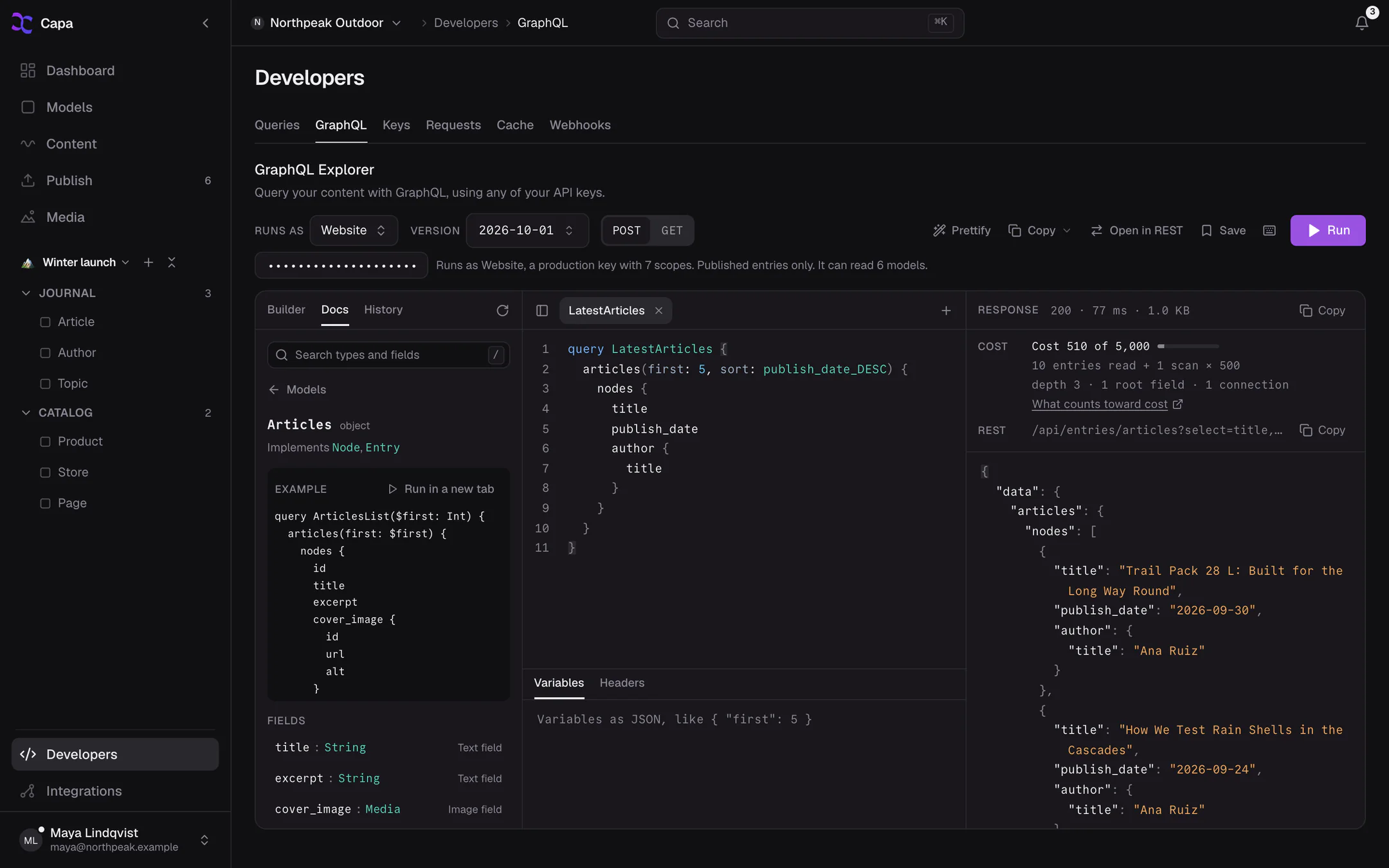
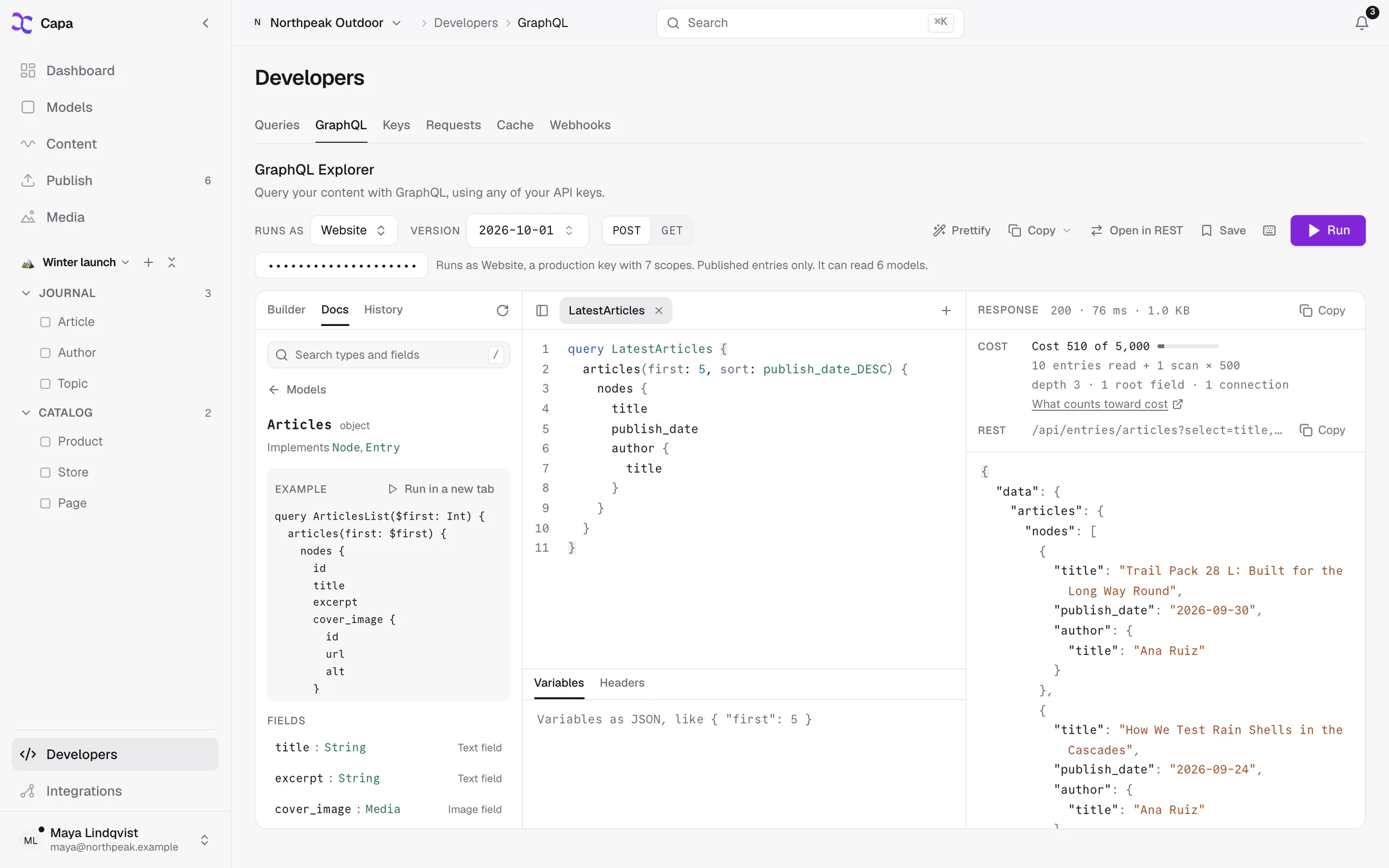
- Runs as picks the key. For a
cap_key, paste its secret: it is kept in memory only, for this tab. - Builder lets you tick fields instead of typing. Docs browses your schema. History keeps what you ran.
- Method switches between POST and GET.
- Copy gives the query as cURL,
fetch, a GET URL or a persisted GET URL, or downloads the schema as SDL. - Open in REST shows the same read as an
/api/entriesrequest.
The response shows what the query cost. See GraphQL limits.
On a phone, the tab shows the schema only.
For a full walkthrough, see GraphQL Explorer.
Requests
A log of requests to the legacy /v2/api, /v3/api and agent API that reached Capa directly, with their status and response time. Requests answered from the CDN's cache, and every /api/ request, are not logged.
Each row's menu copies the request id or URL. Quote the request id when you contact support.
Cache
How well your published reads are cached, and tools to clear them.
- Overview shows requests, hit rate, misses and errors over a time window, and your busiest URLs.
- Purge clears cached reads for a model, some entries, some surrogate keys, or the whole project. Capa shows how many cached responses each purge affects before you confirm. Admins and developers.
- Rules turns on Rewarm on publish per model, where your plan includes it.
You rarely need Purge: publishing already clears what changed. See Caching.
Webhooks
Endpoints on your own servers that Capa calls when content changes. Add endpoint asks for a name, an HTTPS URL, the events to send, and optional headers.
See Webhooks for events, signatures and retries.
The API sheet
Every list of entries, and every entry, has a code button in the top bar: API for this view. It opens a sheet with the /api/entries request that reads what you are looking at.
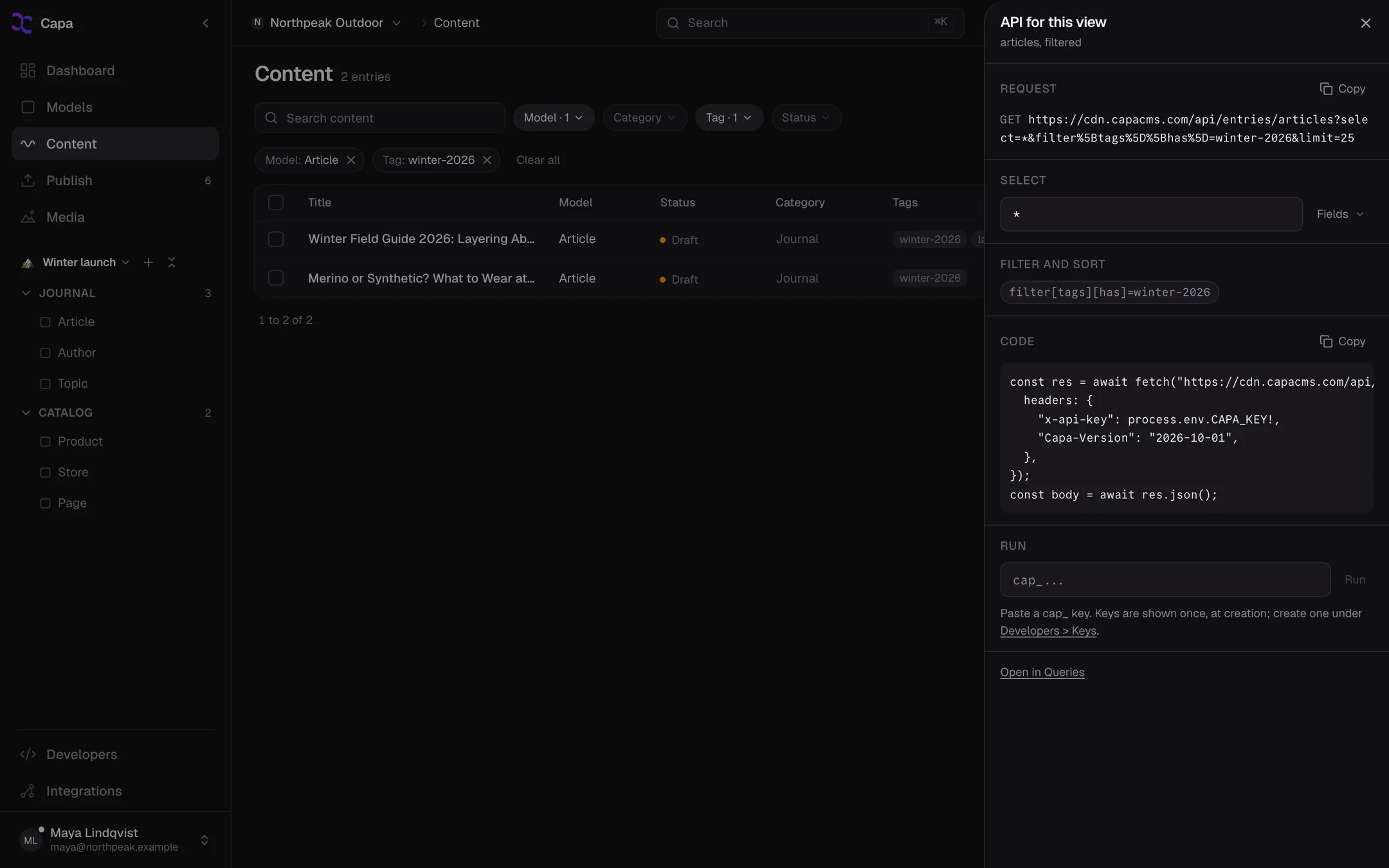
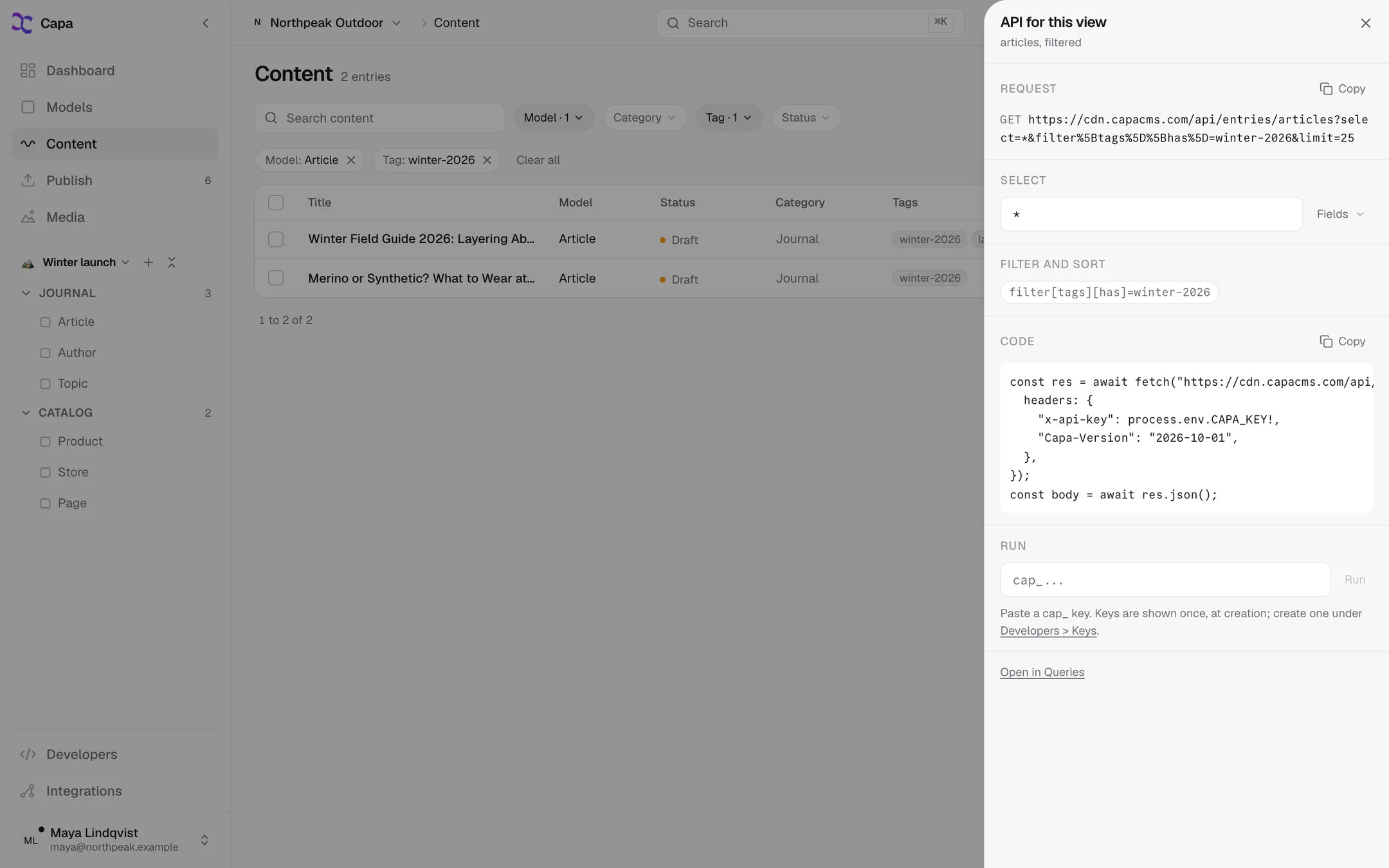
- Request is the URL, ready to copy.
- Select lets you pick fields. Filter and sort carries over the list's filters, and names any that
/api/cannot express. - Code is a
fetchsnippet to copy. - Run sends the request with a
cap_key you paste. The key stays in this browser tab only, until you choose Forget this key.
The sheet shows on the entries of a model, on a single entry, and on Content when a filter is set. It needs a computer-sized screen.